I’m excited to announce that Developer Playground has moved from developerplayground.net to its new home: https://stfnjstn.github.io/developerplayground.
This change was driven by several factors. When the hosting prices for my WordPress blog recently doubled, I realized that continuing with that platform wasn’t sustainable given my infrequent posting schedule. Although I don’t have a lot of time to blog, it’s important to me to preserve my past work and improve my presence online. With this migration, I hope to use the blog more actively, especially to showcase my apps and games.
During the migration process, I discovered unexpected challenges. Exporting my WordPress content revealed multiple rendering issues, such as unclosed formatting tags and inconsistencies that weren’t visible in the WordPress editor. These issues made me appreciate the simplicity of Markdown files and the Git-based approach offered by Jekyll and GitHub Pages. By working directly with Markdown, I’ve achieved a more consistent look and feel for my blog.
Here’s a quick summary of the steps I followed to migrate my blog:
The most time-consuming part of the process was resolving the inconsistencies in the exported posts. Once complete, everything was ready for publishing.
Unlike WordPress, GitHub Pages focuses on static site generation, which aligns perfectly with my needs. While WordPress offers a feature-rich editor and plugin ecosystem, GitHub Pages allows full control over the site’s content and appearance using simple Markdown files. It’s a trade-off between convenience and flexibility, and for me, the latter wins for this project.
I’m looking forward to sharing more updates on Developer Playground and making better use of this new platform. Check it out at https://stfnjstn.github.io/developerplayground, and stay tuned for more content!
Cheers Stefan
]]>
I’ll share my workflow for creating these videos in this post:
The test should cover all areas which should be part of the video. It can run longer than the allowed 30 seconds. We will cut it in a later step. More about XCUI tests here.
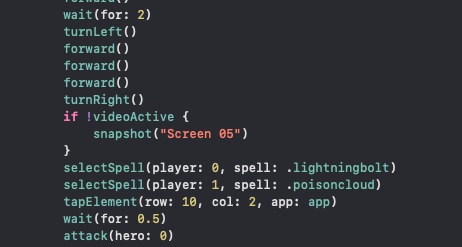
By the way: I’m using the same automated test for creating and uploading screenshots to the Appstore with fastlane. Maybe I’ll write a post about this in the future.
I recommend adding screen recording to your control center:
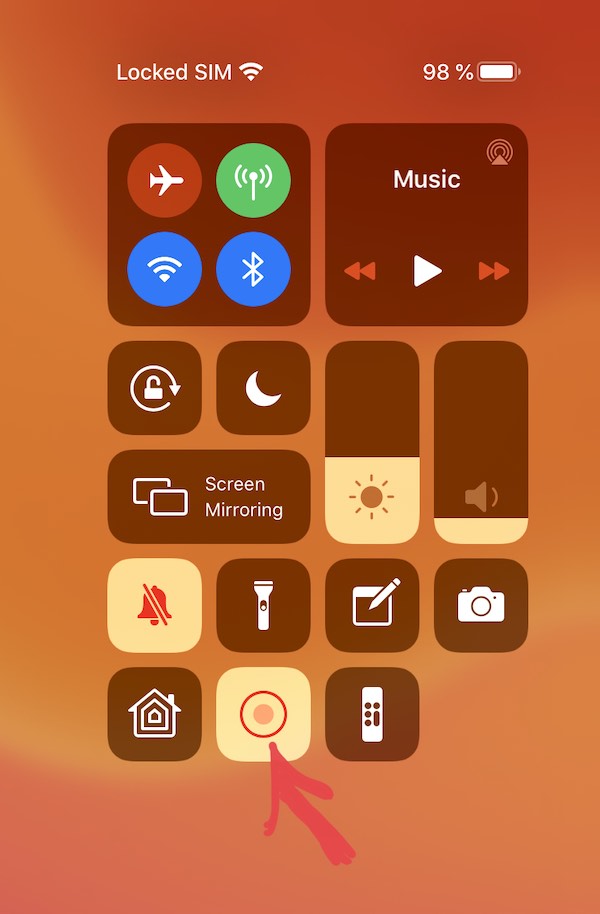
Start the screen recording on the device and then start your automated XCUI test. The test runs and everything is recorded. Once the test is completed, stop the screen recording.
Use Mail, Airdrop, Files or something else for this:
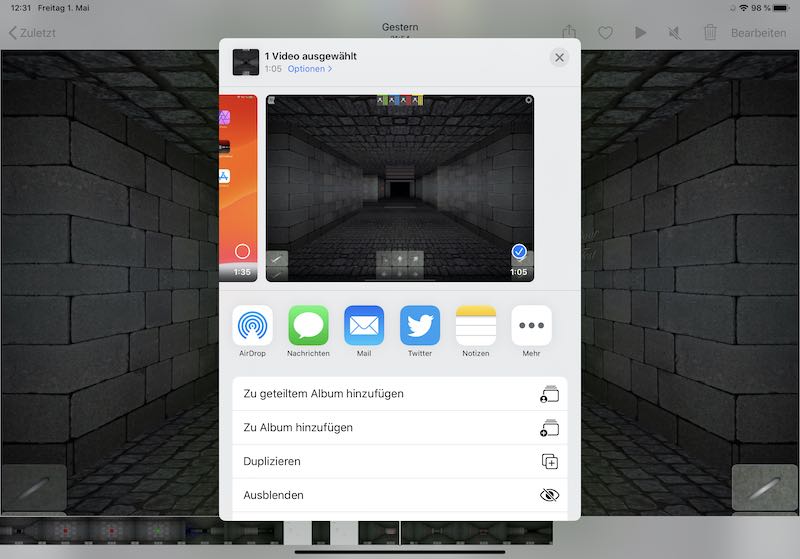
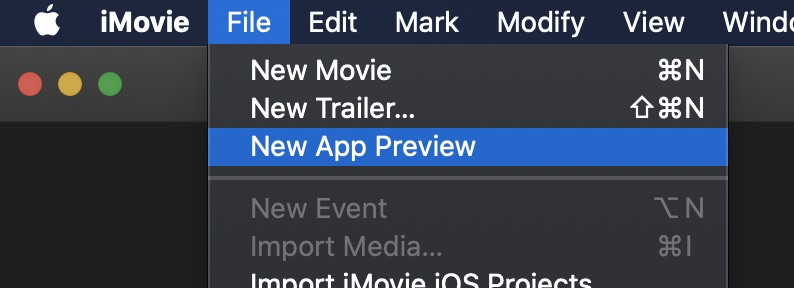
Usually the typical indy developer doesn’t own enough iOS devices to record an App Preview Video on every potential device type.
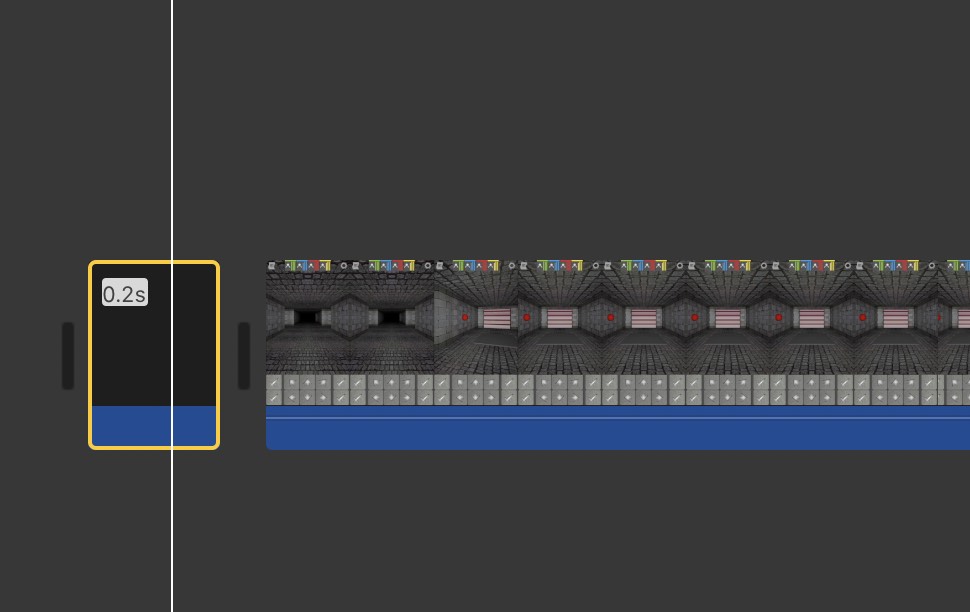
The trick is that iMovie App Preview takes the resolution of the first added media element for the output video. I add a black image with the needed resolution and show it only a fraction of a second at the beginning of the video.
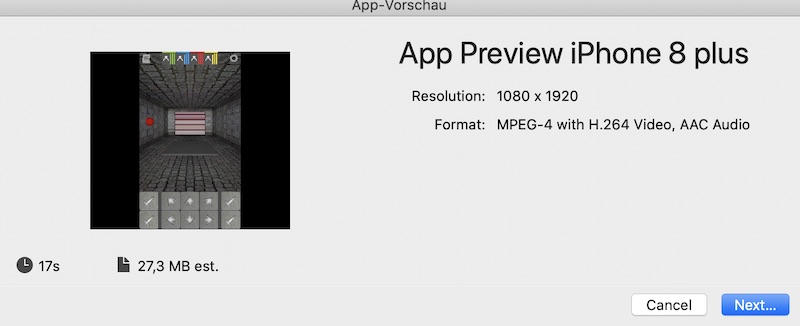
Required resolution per device from Apple:
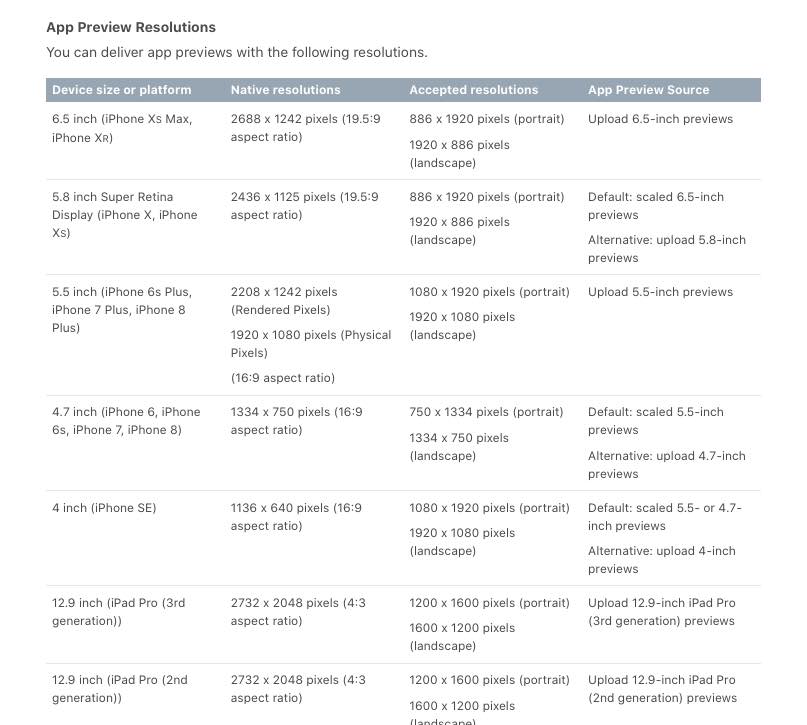 From Apple: https://help.apple.com/app-store-connect/#/dev4e413fcb8
Now add the video material. iMovie will automatically scale the video during export depending on the black image at the beginning:

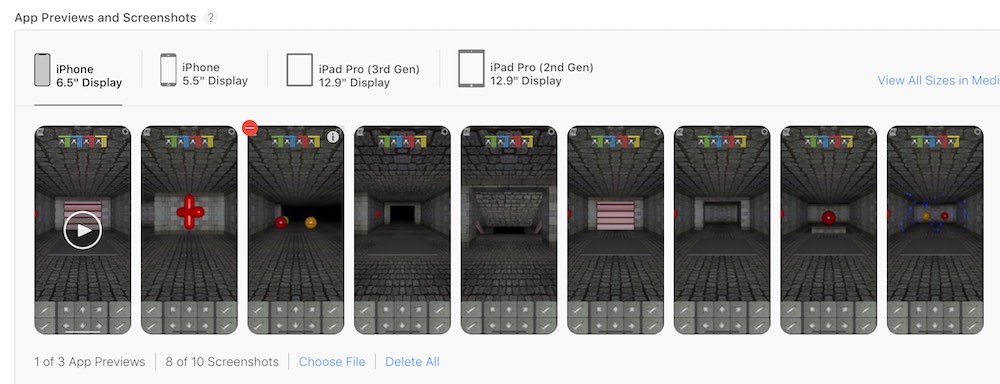
That’s all for today.
Cheers
Stefan
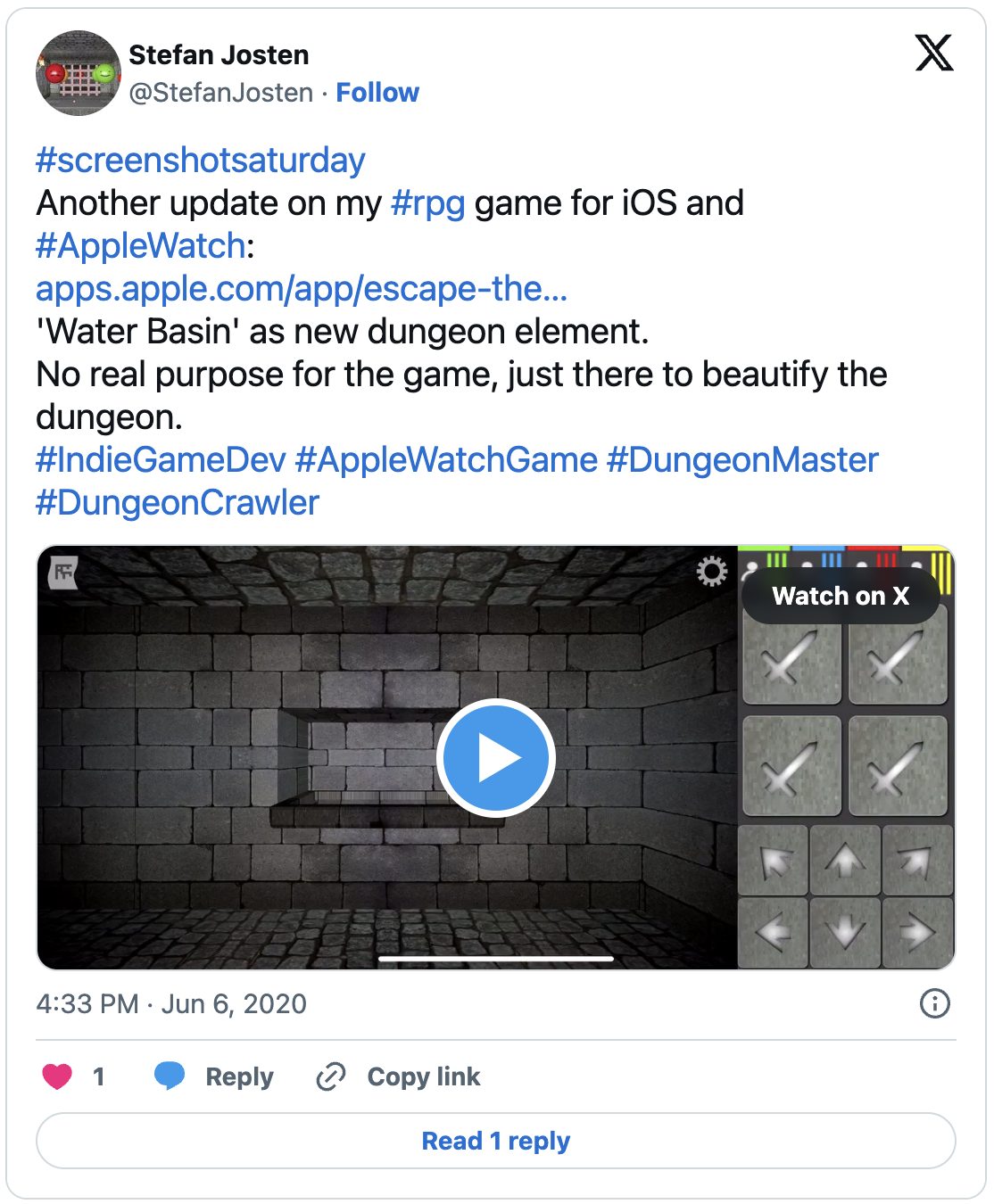
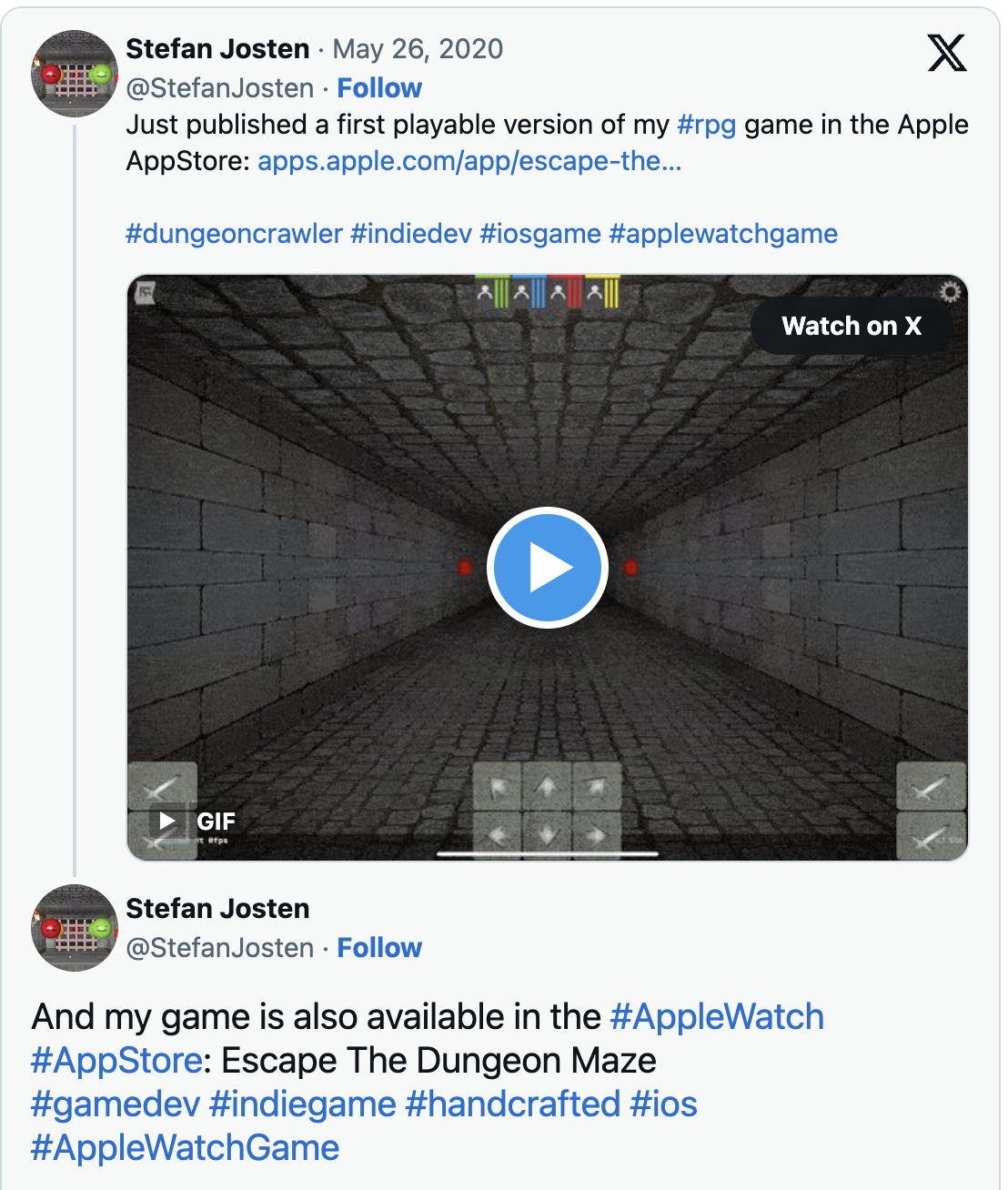
The Game itself is inspired by Dungeon Master and Legend of Grimrock.
The video shows a subset of my automated UI test cases. I have published a short tutorial about how to implement automated tests with SceneKit and XCUI.
Already implemented features:

That’s all for today.
Cheers,
Stefan
I recommend this tutorial as introduction in ui test automation with XCUI.
I write this tutorial because there is not much information avilable about the combination of SCNKit and XCUI. Hopefully it helps to avoid some of the pitfalls.
The specific problem I had to solve, was to automate a scenario, where two or more interactive SCNNodes are visible on a screen. Every node should trigger a different action.
Using screen coordinates to trigger a specific node, would have been one option, but this causes a huge overhead. My game runs on iPads and iPhones in Landscape and Portrait format. That means for each combination of screen resolution and orientation I would need different sets of coordinates.
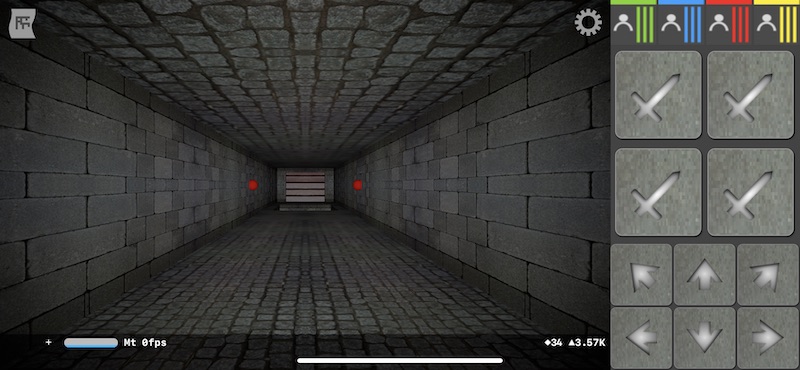
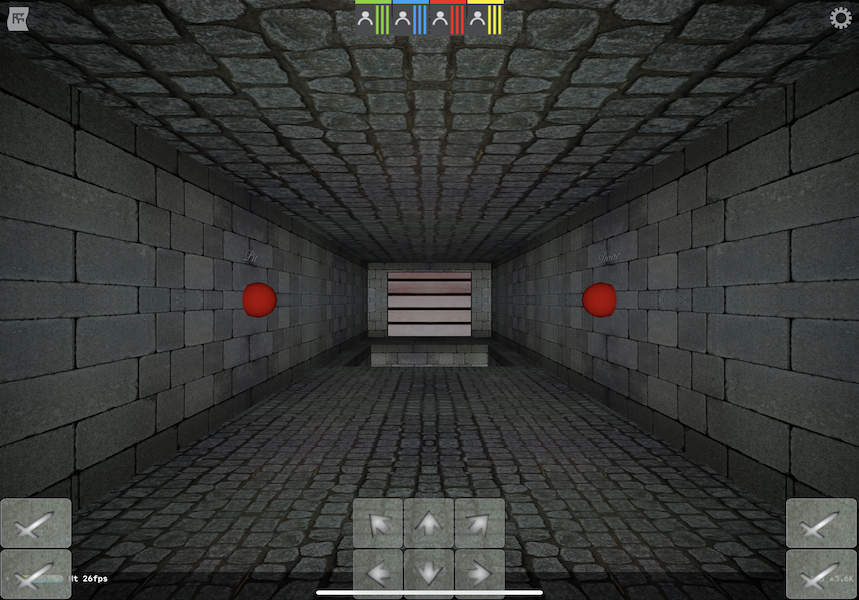
Here is a much better solution:
I subclassed SCNNode and implemented the UIAccessibilityIdentification delegate. Every time I created an instance of MyNode I gave it a unique accessibilityIdentifier.
class MyNode: SCNNode, UIAccessibilityIdentification {
    var accessibilityIdentifier: String?
}
Now these nodes can be addressed inside of the test code with:
app.otherElements[id].firstMatch
My first try was to get the element and call the tap method directly on the node:
app.otherElements[id].firstMatch.tap()
Unfortunately that didn’t work. An SCNNode doesn’t react on the tap method in XCUI.
The trick was to find the SCNNode , get the coordinates of the node and call tap on these coordinates:
app.otherElements[id].firstMatch.coordinate(withNormalizedOffset: CGVector.zero).tap()
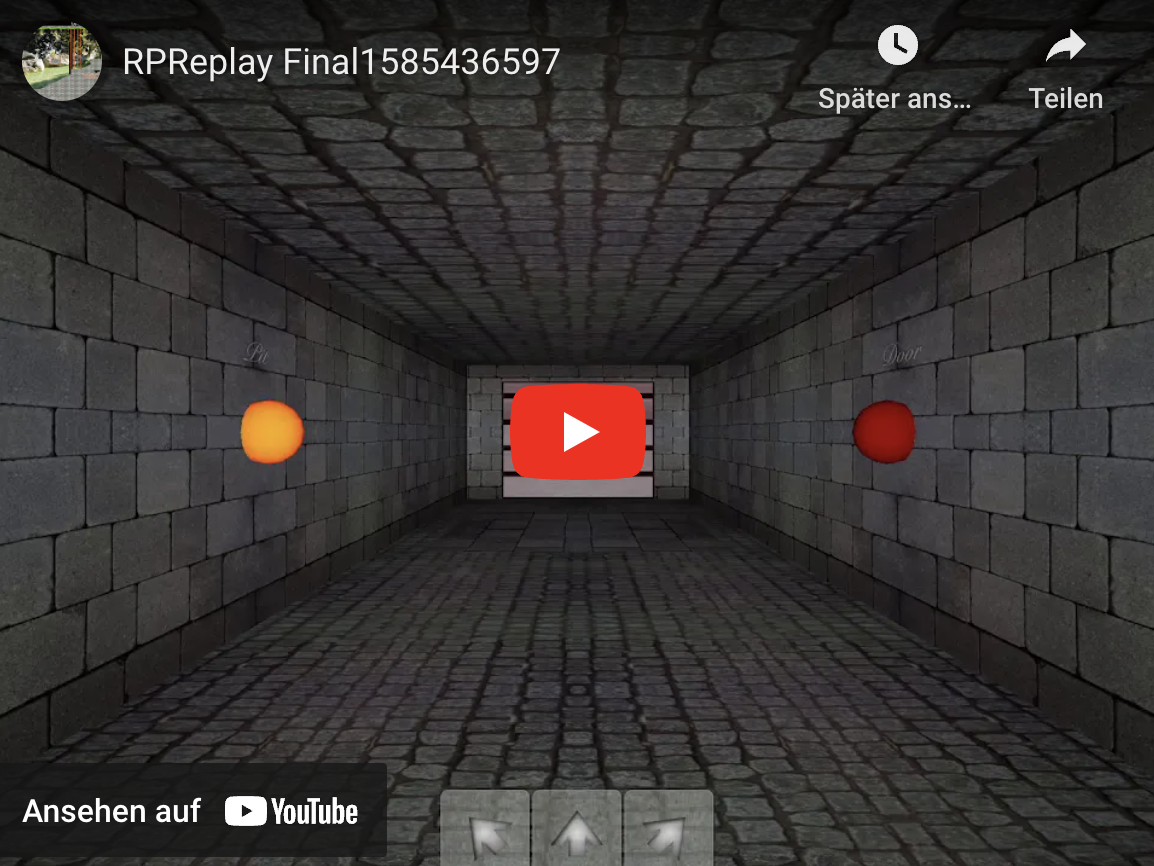
And here is a video with the automated result. The left button closes the pit and the right opens the door.
That all for today,
Cheers Stefan
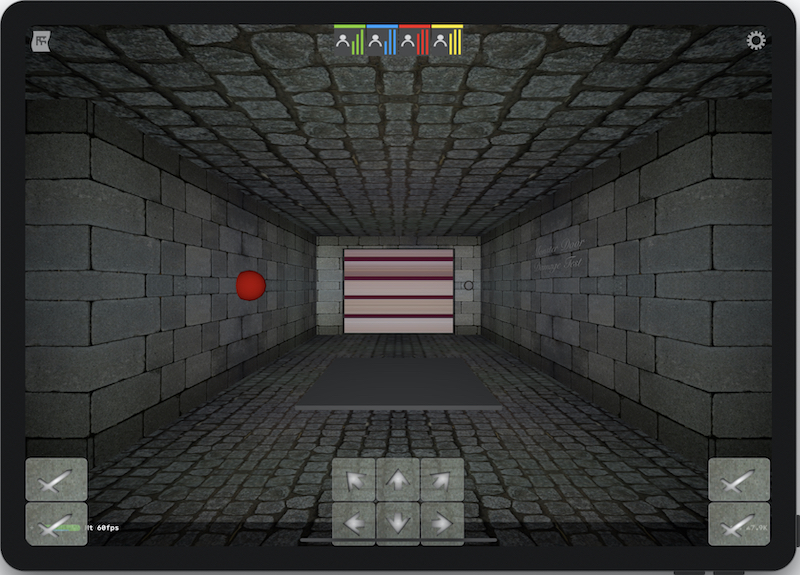
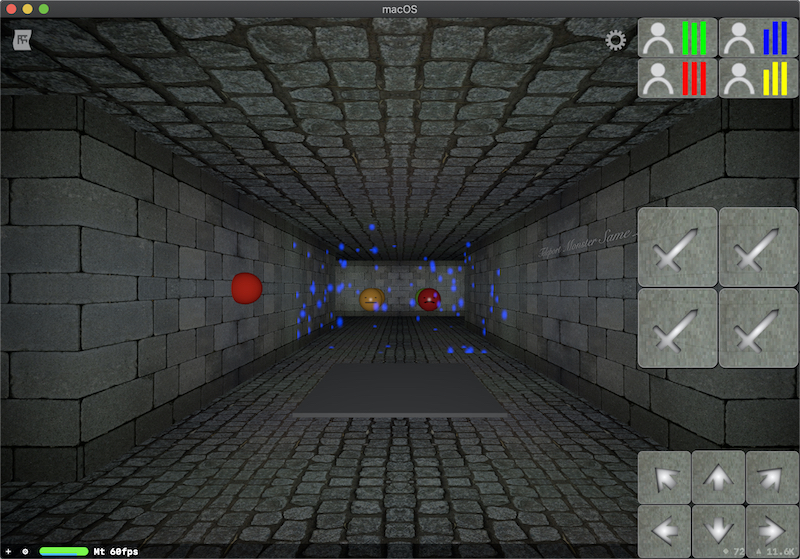
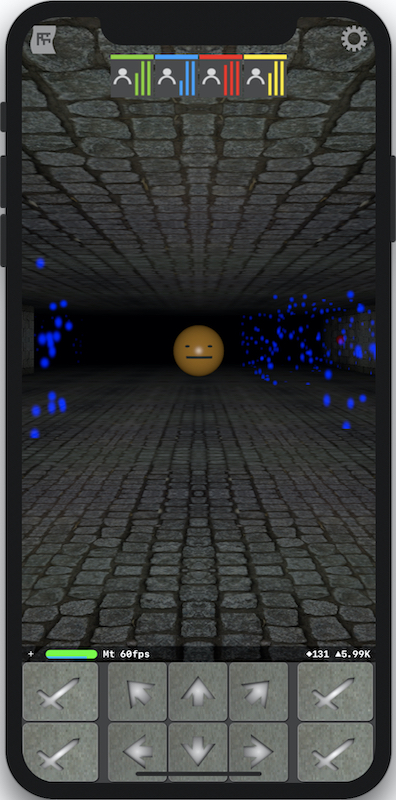
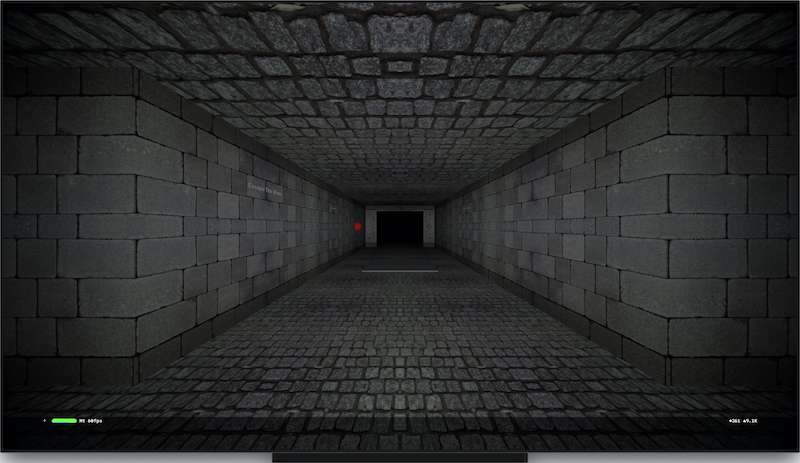
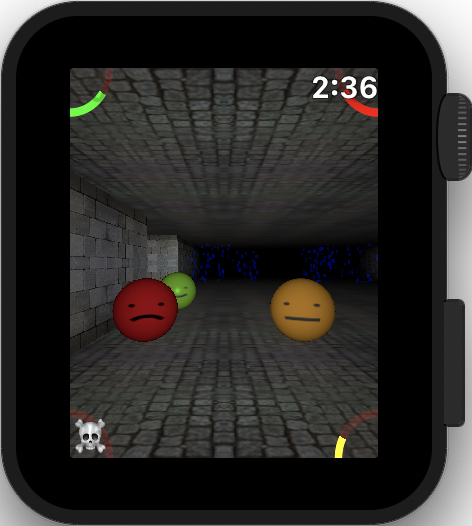
]]>Grown up with 16 Bit Home Computers like Atari ST & Amiga and being also fan of the demo scene, I wondered if it is possible to create a Dungeon Master clone on limited hardware like an Apple Watch. The Game will also run on iPhones, iPads, Macs & Apple TVs.
Surprisingly the biggest challenge was not the 3D Engine, but creating an usable user interface which works on all devices.
Why am I’m doing this?
I like the answer from Petri Häkkinen about why he is developing a game for the Commodore VC 20. For me it is nearly the same: It means fun.
Not sure where this will lead. Maybe the game will be:
I will blog about the progress of my game and what I learned during the implementation phase. One of the next articles will be about UI test automation with XCUI and SceneKit.
That’s all for the moment.
Cheers,
Stefan
Basically you just need to show the camera content together with an overlay of 3D objects to get an augmented reality effect. If you add interaction and physics effects you have everything in place what is needed to implement something similar as the Pokemon Go™ capture screen.
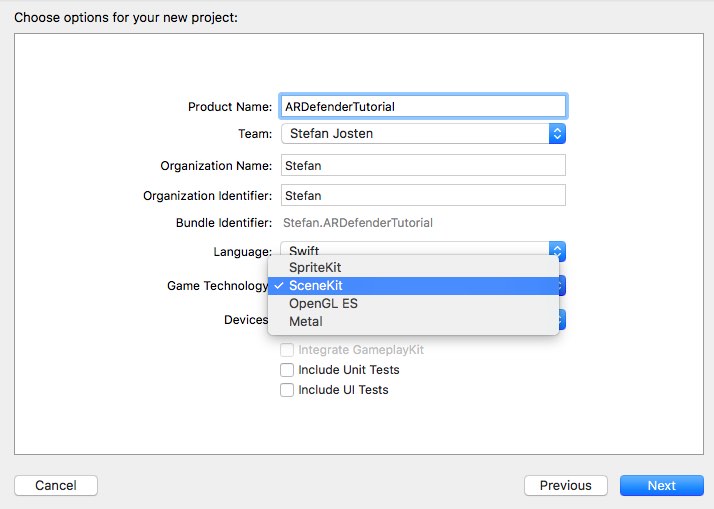
Open Xcode and create a new project:
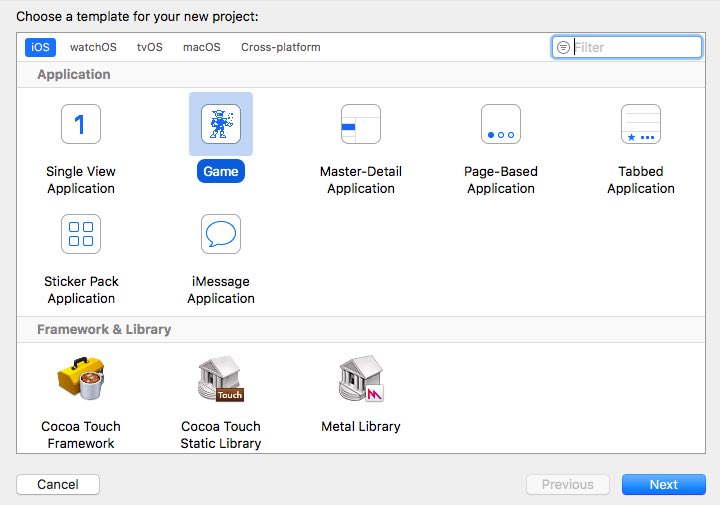
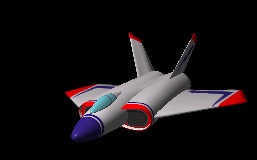
Xcode has already generated code to initialize a scene with a 3D object (viewDidLoad) and a touch interface to handle user interactions (handleTap). If you start the project, you’ll see a spaceship which can be manipulated by touch and swipe events:
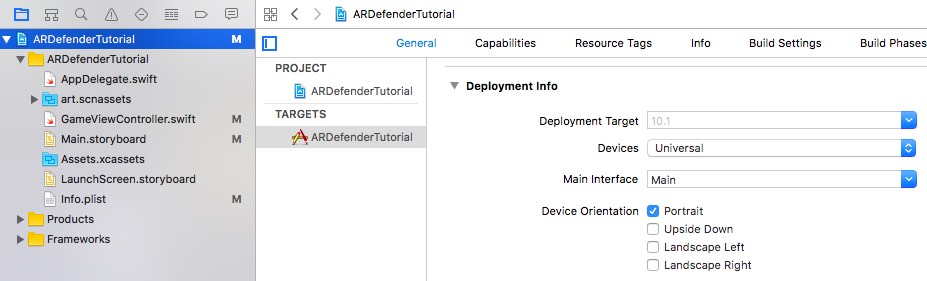
Now limit the project to portrait mode, to keep this tutorial simple:
Open the Storyboard …
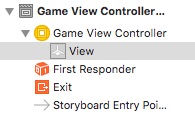
Change the SceneKitView to an UIView by dragging an new UIView into the GameViewController
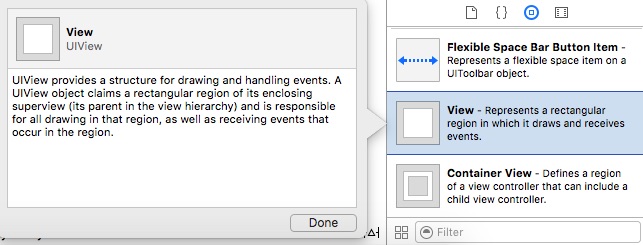
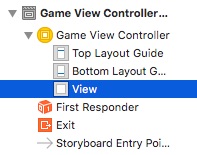
Add another UIView and a SceneKit View below the top UIView:
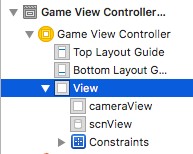
Change the UIConstraints of the cameraView and scnView to full screen size:
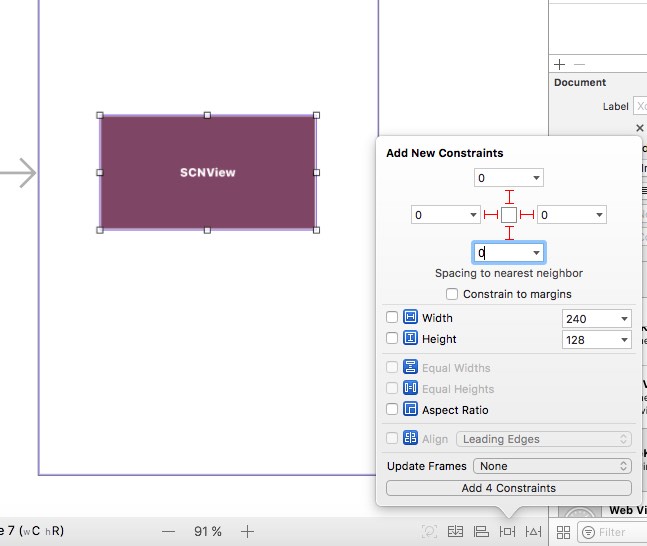
If you see warnings like this one: Choose “Update frames” to correct them automatically:
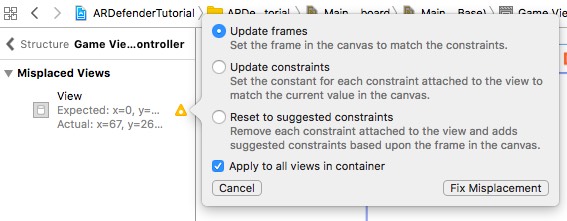
Create an IBOutlet for the scnView and the cameraView:

That’s all in the Storyboard. Now it’s time for real code.
We have created a global Outlet for the SceneView in the InterfaceBuilder before. Therefore we have to remove the scnView declaration viewDidLoad and handleTap:
// retrieve the SCNView
let scnView = self.view as! SCNView
We also have to change the scene background color in the method viewDidLoad to clear. Otherwise augmented reality will not work, because the camera picture will not be visible:
// configure the view
scnView.backgroundColor = UIColor.clear
Here’s the full source code of the two methods:
override func viewDidLoad() {
    super.viewDidLoad()

    // create a new scene
    let scene = SCNScene(named: "art.scnassets/ship.scn")!

    // create and add a camera to the scene
    let cameraNode = SCNNode()
    cameraNode.camera = SCNCamera()
    scene.rootNode.addChildNode(cameraNode)

    // place the camera
    cameraNode.position = SCNVector3(x: 0, y: 0, z: 15)

    // create and add a light to the scene
    let lightNode = SCNNode()
    lightNode.light = SCNLight()
    lightNode.light!.type = .omni
    lightNode.position = SCNVector3(x: 0, y: 10, z: 10)
    scene.rootNode.addChildNode(lightNode)

    // create and add an ambient light to the scene
    let ambientLightNode = SCNNode()
    ambientLightNode.light = SCNLight()
    ambientLightNode.light!.type = .ambient
    ambientLightNode.light!.color = UIColor.darkGray
    scene.rootNode.addChildNode(ambientLightNode)

    // retrieve the ship node
    let ship = scene.rootNode.childNode(withName: "ship", recursively: true)!

    // animate the 3d object
    ship.runAction(SCNAction.repeatForever(SCNAction.rotateBy(x: 0, y: 2, z: 0, duration: 1)))

    // set the scene to the view
    scnView.scene = scene

    // allows the user to manipulate the camera
    scnView.allowsCameraControl = true

    // show statistics such as fps and timing information
    scnView.showsStatistics = true

    // configure the view
    scnView.backgroundColor = UIColor.clear

    // add a tap gesture recognizer
    let tapGesture = UITapGestureRecognizer(target: self, action: #selector(handleTap(_:)))
    scnView.addGestureRecognizer(tapGesture)
}

func handleTap(_ gestureRecognize: UIGestureRecognizer) {

    // check what nodes are tapped
    let p = gestureRecognize.location(in: scnView)
    let hitResults = scnView.hitTest(p, options: [:])
    // check that we clicked on at least one object
    if hitResults.count > 0 {
        // retrieved the first clicked object
        let result: AnyObject = hitResults[0]

        // get its material
        let material = result.node!.geometry!.firstMaterial!

        // highlight it
        SCNTransaction.begin()
        SCNTransaction.animationDuration = 0.5

        // on completion - unhighlight
        SCNTransaction.completionBlock = {
            SCNTransaction.begin()
            SCNTransaction.animationDuration = 0.5
            material.emission.contents = UIColor.black
            SCNTransaction.commit()
        }
        material.emission.contents = UIColor.red
        SCNTransaction.commit()
    }
}
Add the AVFoundation Framework to Linked Frameworks and Libraries
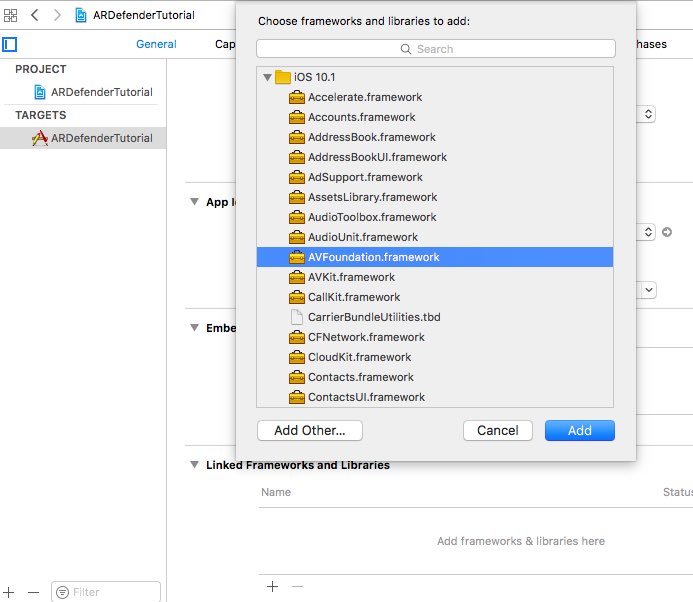
Add an import statement for the AVFoundation on top of the ViewController class:
import AVFoundation
Add the key “Privacy - Camera Usage Description” to the plist file: 
Otherwise you will see this error, when you start the App:
This app has crashed because it attempted to access privacy-sensitive data without a usage description. The app’s Info.plist must contain an NSCameraUsageDescription key with a string value explaining to the user how the app uses this data.
This is needed because of the new App privacy policy from Apple.
Now the only missing part is the code to capture the camera input and place it below the transparent 3D scene to get the Augmented Reality effect:
var preview: AVCaptureVideoPreviewLayer?

override func viewWillAppear(_ animated: Bool) {
    super.viewWillAppear(animated)

    // create a capture session for the camera input
    let captureSession = AVCaptureSession()
    captureSession.sessionPreset = AVCaptureSessionPresetPhoto

    // Choose the back camera as input device
    let backCamera = AVCaptureDevice.defaultDevice(withMediaType: AVMediaTypeVideo)
    var error: NSError?
    var input: AVCaptureDeviceInput!
    do {
        input = try AVCaptureDeviceInput(device: backCamera)
    } catch let cameraError as NSError {
        error = cameraError
        input = nil
    }

    // check if the camera input is available
    if error == nil && captureSession.canAddInput(input) {
        // ad camera input to the capture session
        captureSession.addInput(input)
        let photoImageOutput = AVCapturePhotoOutput()

        // Create an UIlayer with the capture session output
        photoImageOutput.photoSettingsForSceneMonitoring = AVCapturePhotoSettings(format: [AVVideoCodecKey: AVVideoCodecJPEG])
        if captureSession.canAddOutput(photoImageOutput) {
            captureSession.addOutput(photoImageOutput)
            preview = AVCaptureVideoPreviewLayer(session: captureSession)
            preview?.videoGravity = AVLayerVideoGravityResizeAspectFill
            preview?.connection.videoOrientation = AVCaptureVideoOrientation.portrait
            preview?.frame = cameraView.frame
            cameraView.layer.addSublayer(preview!)
            captureSession.startRunning()
        }
    }
}
Now start the App on a real iOS Device:
Here is a video to get an impression:
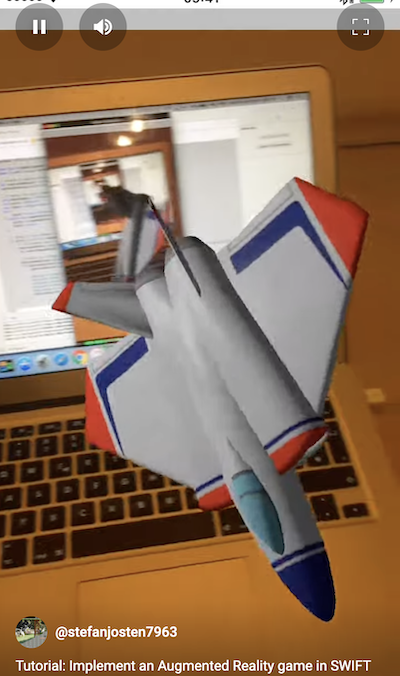
You can download the sample code from GitHub.
That’s all for today.
If you want to support me, please download my Apps from the Apple AppStore.
Cheers, Stefan
]]>I was wondering if this can really replace a Mac with XCode to develop for my favorite platform. In fact I’m dreaming about only carrying my iPad with me and develop directly on an iPad.
So here we are: My first game SWIFT Playground completely written on an iPad: Pong (updated for iOS 10 Beta 5)
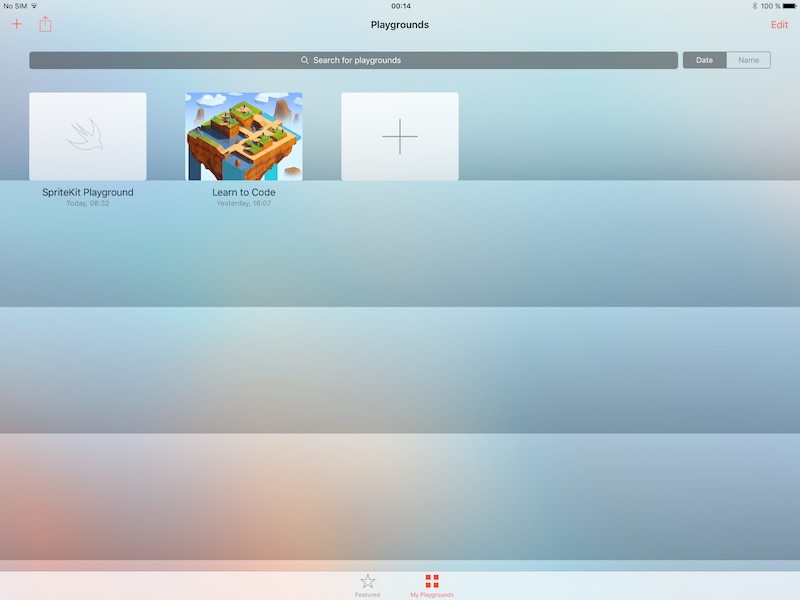
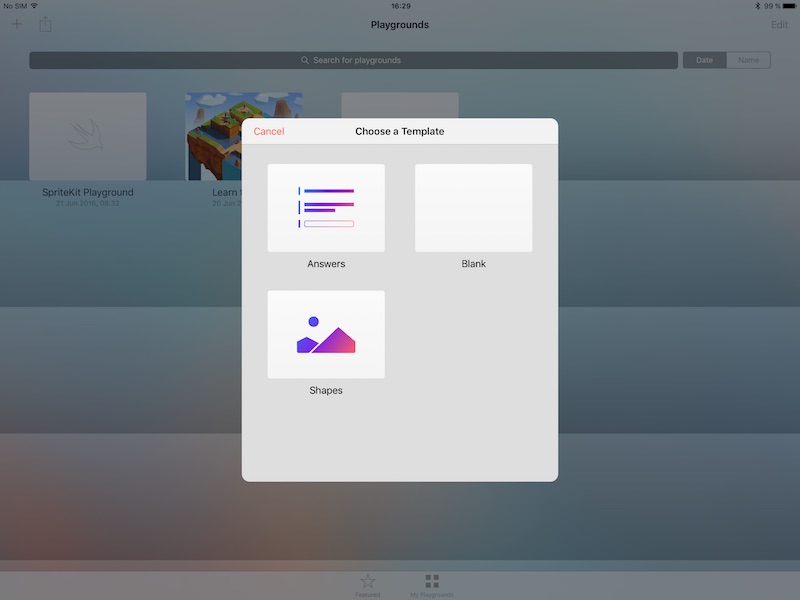
Just copy it in your playground and hit start. I’ll not introduce the basics of SpriteKit. You can check my other posts to get an introduction.
import SpriteKit
import PlaygroundSupport

// Declare some global constants
let width = 800 as CGFloat
let height = 1200 as CGFloat
let racketHeight = 150 as CGFloat
let ballRadius = 20 as CGFloat

// Three types of collision objects possible
enum CollisionTypes: UInt32 {
    case Ball = 1
    case Wall = 2
    case Racket = 4
}

// Racket direction
enum Direction: Int{
    case None = 0
    case Up = 1
    case Down = 2
}

// SpriteKit scene
class gameScene: SKScene, SKPhysicsContactDelegate {
    let racketSpeed = 500.0
    var direction = Direction.None
    var score = 0
    var gameRunning = false

    // Screen elements
    var racket: SKShapeNode?
    var ball: SKShapeNode?
    let scoreLabel = SKLabelNode()

    // Initialize objects during first start
    override func sceneDidLoad() {
        super.sceneDidLoad()
        var resr = SKShapeNode()
        scoreLabel.fontSize = 40
        scoreLabel.position = CGPoint(x: width/2, y: height - 100)
        self.addChild(scoreLabel)

        createWalls()
        createBall(position: CGPoint(x: width / 2, y: height / 2))
        createRacket()
        startNewGame()
        self.physicsWorld.contactDelegate = self
    }

    // Create the ball sprite
    func createBall(position: CGPoint) {
        let physicsBody = SKPhysicsBody(circleOfRadius: ballRadius)
        ball = SKShapeNode(circleOfRadius: ballRadius)
        physicsBody.categoryBitMask = CollisionTypes.Ball.rawValue
        physicsBody.collisionBitMask = CollisionTypes.Wall.rawValue | CollisionTypes.Ball.rawValue | CollisionTypes.Racket.rawValue
        physicsBody.affectedByGravity = false
        physicsBody.restitution = 1
        physicsBody.linearDamping = 0
        physicsBody.velocity = CGVector(dx: -500, dy: 500)
        ball!.physicsBody = physicsBody
        ball!.position = position
        ball!.fillColor = SKColor.white
    }

    // Create the walls
    func createWalls() {
        createWall(rect: CGRect(origin: CGPoint(x: 0, y: 0), size: CGSize(width: ballRadius, height: height)))
        createWall(rect: CGRect(origin: CGPoint(x: 0, y: 0), size: CGSize(width: width, height: ballRadius)))
        createWall(rect: CGRect(origin: CGPoint(x: 0, y: height - ballRadius), size: CGSize(width: width, height: ballRadius)))
    }

    func createWall(rect: CGRect) {
        let node = SKShapeNode(rect: rect)
        node.fillColor = SKColor.white
        node.physicsBody = getWallPhysicsbody(rect: rect)
        self.addChild(node)
    }

    // Create the physics objetcs to handle wall collisions
    func getWallPhysicsbody(rect: CGRect) -> SKPhysicsBody {
        let physicsBody = SKPhysicsBody(rectangleOf: rect.size, center: CGPoint(x: rect.midX, y: rect.midY))
        physicsBody.affectedByGravity = false
        physicsBody.isDynamic = false
        physicsBody.collisionBitMask = CollisionTypes.Ball.rawValue
        physicsBody.categoryBitMask = CollisionTypes.Wall.rawValue
        return physicsBody
    }

    // Create the racket sprite
    func createRacket() {
        racket =  SKShapeNode(rect: CGRect(origin: CGPoint.zero, size: CGSize(width: ballRadius, height: racketHeight)))
        self.addChild(racket!)
        racket!.fillColor = SKColor.white
        let physicsBody = SKPhysicsBody(rectangleOf: racket!.frame.size, center: CGPoint(x: racket!.frame.midX, y: racket!.frame.midY))
        physicsBody.affectedByGravity = false
        physicsBody.isDynamic = false
        physicsBody.collisionBitMask = CollisionTypes.Ball.rawValue
        physicsBody.categoryBitMask = CollisionTypes.Racket.rawValue
        physicsBody.contactTestBitMask = CollisionTypes.Ball.rawValue
        racket!.physicsBody = physicsBody
    }

    // Start a new game
    func startNewGame() {
        score = 0
        scoreLabel.text = "0"
        racket!.position = CGPoint(x: width - ballRadius * 2, y: height / 2)
        var counter = 3
        let startLabel = SKLabelNode(text: "Game Over")
        startLabel.position = CGPoint(x: width / 2, y: height / 2)
        startLabel.fontSize = 160
        self.addChild(startLabel)

        // Animated countdown
        let fadeIn = SKAction.fadeIn(withDuration: 0.5)
        let fadeOut = SKAction.fadeOut(withDuration: 0.5)
        startLabel.text = "3"
        startLabel.run(SKAction.sequence([fadeIn, fadeOut]), completion: {
            startLabel.text = "2"
            startLabel.run(SKAction.sequence([fadeIn, fadeOut]), completion: {
                startLabel.text = "1"
                startLabel.run(SKAction.sequence([fadeIn, fadeOut]), completion: {
                    startLabel.text = "0"
                    startLabel.run(SKAction.sequence([fadeIn, fadeOut]), completion: {
                        startLabel.removeFromParent()
                        self.gameRunning = true
                        self.ball!.position = CGPoint(x: 30, y: height / 2)
                        self.addChild(self.ball!)
                    })
                })
            })
        })
    }

    // Handle touch events to move the racket
    override func touchesBegan(_ touches: Set, with event: UIEvent?) {
        for touch in touches {
            var location = touch.location(in: self)
            if location.y > height / 2 {
                direction = Direction.Up
            } else if location.y < height / 2{
                direction = Direction.Down
            }
        }
    }

    // Stop racket movement
    override func touchesEnded(_ touches: Set, with event: UIEvent?) {
        direction = Direction.None
    }

    // Game loop:
    // - Game over check: Ball still on screen
    // - Trigger racket movement
    var dt = TimeInterval(0)
    override func update(_ currentTime: TimeInterval) {
        if gameRunning {
            super.update(currentTime)
            checkGameOver()
            if dt > 0 {
                moveRacket(dt: currentTime - dt)
            }
            dt = currentTime
        }
    }

    // Move the racket up or down
    func moveRacket(dt: TimeInterval) {
        if direction == Direction.Up && racket!.position.y < height - racketHeight {
            racket!.position.y = racket!.position.y + CGFloat(racketSpeed * dt)
        } else if direction == Direction.Down && racket!.position.y > 0 {
            racket!.position.y = racket!.position.y - CGFloat(racketSpeed * dt)
        }
    }

    // Check if the ball is still on screen
    // Game Over animation
    func checkGameOver() {
        if ball!.position.x > CGFloat(width) {
            gameRunning = false
            ball!.removeFromParent()
            let gameOverLabel = SKLabelNode(text: "Game Over")
            gameOverLabel.position = CGPoint(x: width / 2, y: height / 2)
            gameOverLabel.fontSize = 80
            self.addChild(gameOverLabel)

            // Game Over animation
            let rotateAction = SKAction.rotate(byAngle: CGFloat(M_PI), duration: 1)
            let fadeInAction = SKAction.fadeIn(withDuration: 2)
            gameOverLabel.run(SKAction.repeat(rotateAction, count: 2))
            gameOverLabel.run(SKAction.scale(to: 0, duration: 2.5), completion: {
                gameOverLabel.removeFromParent()
                self.startNewGame()
            })
        }
    }

    // Detect collisions between ball and racket to increase the score
    func didBegin(_ contact: SKPhysicsContact) {
        if contact.bodyA.categoryBitMask == CollisionTypes.Racket.rawValue || contact.bodyB.categoryBitMask ==      CollisionTypes.Racket.rawValue {
            score += 1
            scoreLabel.text = String(score)
        }
    }
}

//Initialize the playground and start the scene:
let skView = SKView(frame: CGRect(origin: CGPoint.zero, size: CGSize(width: width, height: height)))
let scene = gameScene(size: skView.frame.size)
skView.presentScene(scene)

PlaygroundPage.current.liveView =  skView
You can also download the sample directly from my GitHub repository.
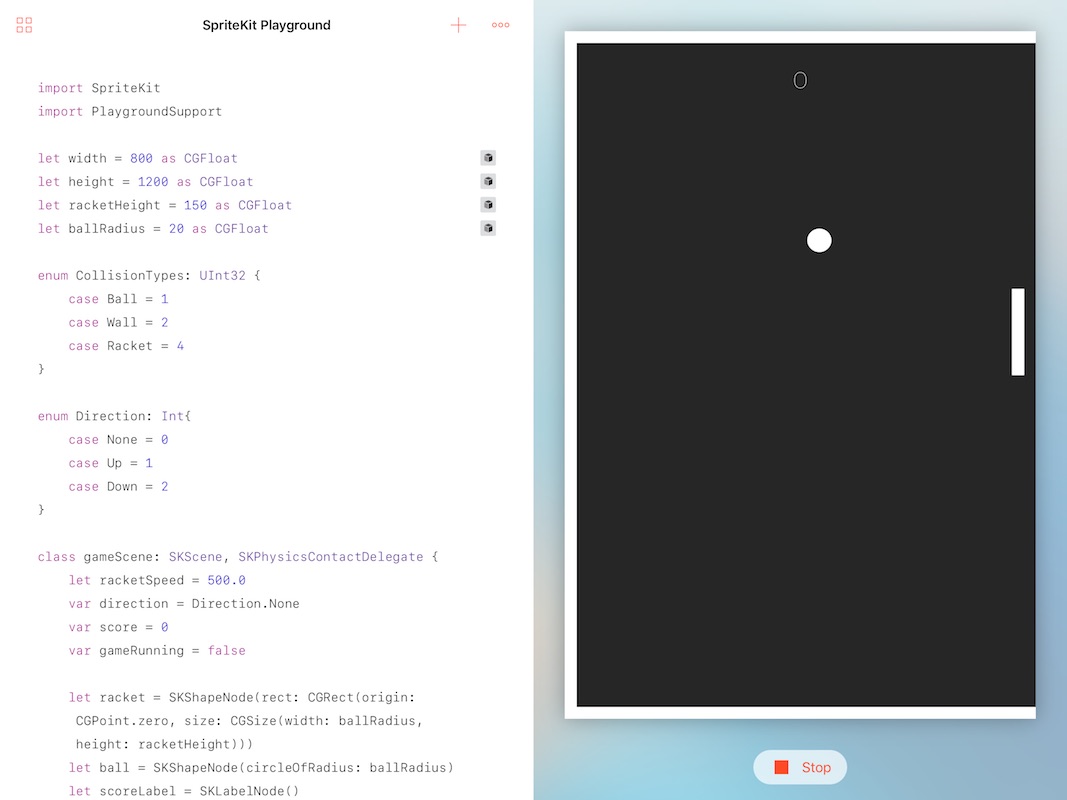
My personal conclusion: You can really write advanced Playground Apps completely on your iPad. The editor offers some intelligent solutions to choose the next needed code snippet without typing, but for bigger projects an external keypad improves the coding experience a lot. A possibility to upload the playgrounds as an App to the AppStore is missing. So a kind of Swift Playground Store would be nice for the future. Maybe this will come with the final release of iOS 10.
That’s all for today.
If you want to support me, please download my Apps from the Apple AppStore.
Cheers,
Stefan
]]>
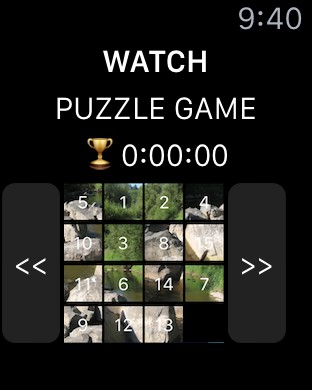
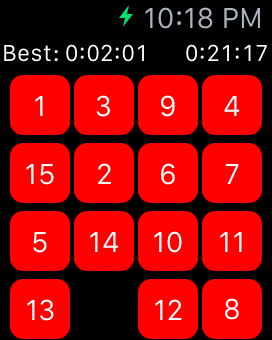
Welcome to my new WatchKit tutorial. Today I’ll show that it is possible to use the Apple Watch as a gaming platform. First let’s look back to the first WatchKit versions. They have been very limited in terms of available input controls. Using alternative hardware stuff like the Digital Crown was not supported. A typical game was usually built with a number of WkInterfaceButtons and looked like this:
 |
 |
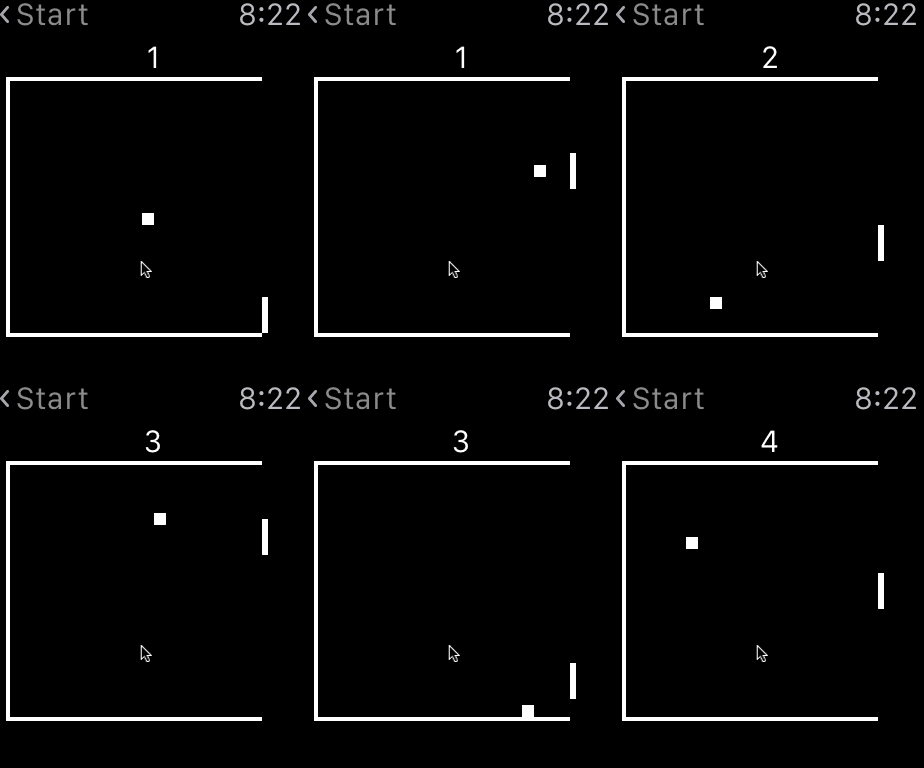
Since WatchKit 2 it is possible to use the Digital Crown for custom apps. This provides way more possibilities for great games, like this Watch Ping Pong version created by me. I’ll publish the Source Code as OpenSource in my GitHub repository, once I have reached 1000 downloads. Currently only 980 to go ;-)
Lite Version
Full Version
I have a quick calculation for you, if you think 0.99$ is expensive: It took me around 30 hours to write the game. 20 downloads generate around 19,80$ earnings. Apple takes one third means 13,20$ remaining for me. = > Whoa! I’ve earned 0,44$ per hour ;-) Don’t get me wrong. I’m not expecting to get rich with my Apps. I’m writing this Blog and and my games only for fun.
Goal is to create the racket at the left side and use the digital crown to move it up and down.
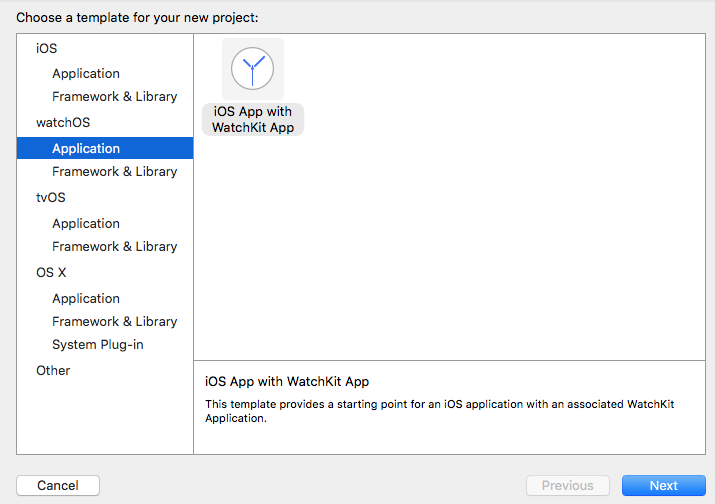
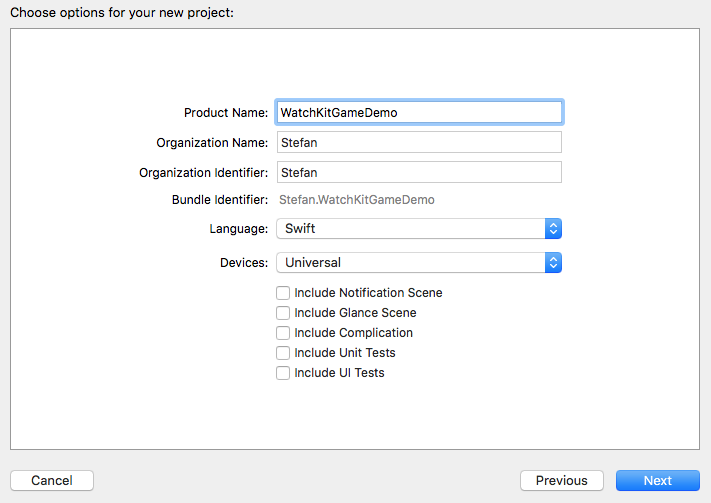
Disable the checkmark on Include Notification Scene:
Open the WatchKit Storyboard: 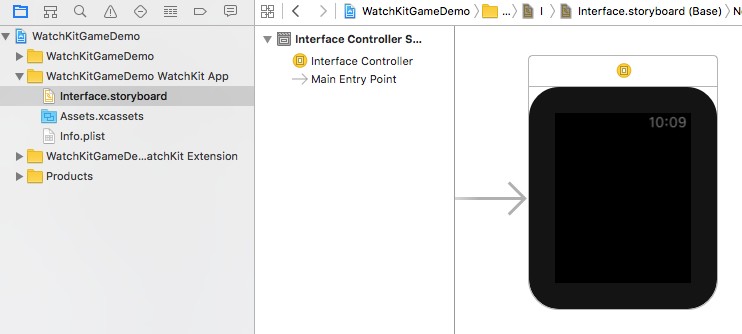
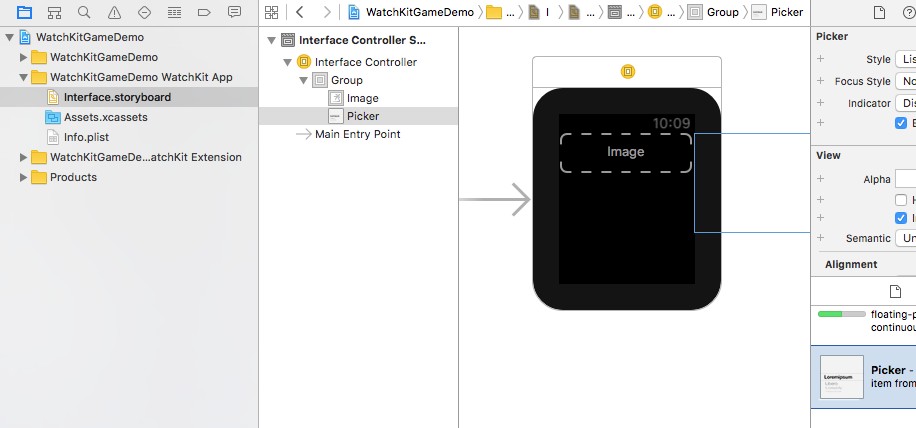
Add a WKInterfaceGroup and below a WKInterfaceImage and a WKInterfacePicker to the InterfaceController:
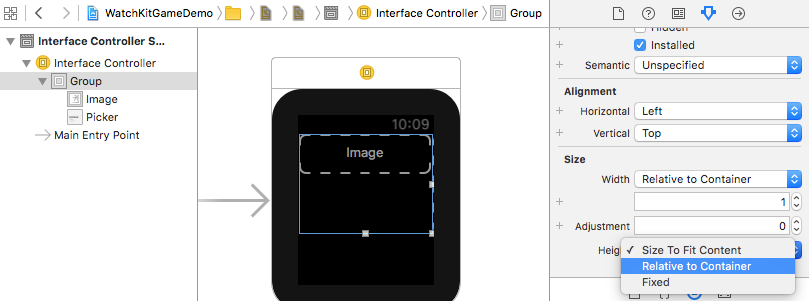
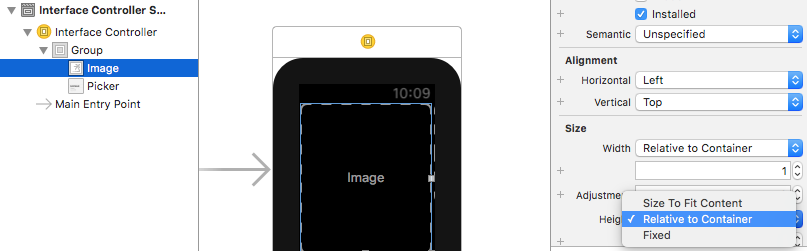
Change the size of the group and the Image to fullscreen:
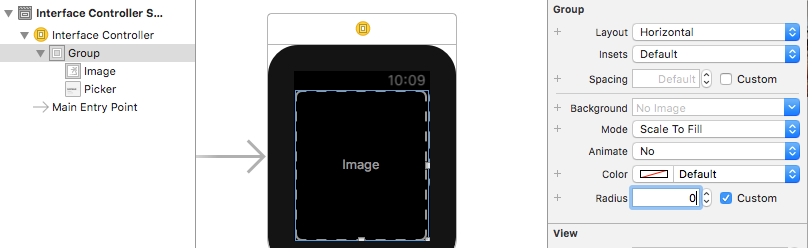
Change the radius of the group to 0:
The WKInterfacePicker will only be used to connect our interface with the digital crown. It is not necessary that it is visible on the screen.
Create an IBOutlet for Image and Picker:
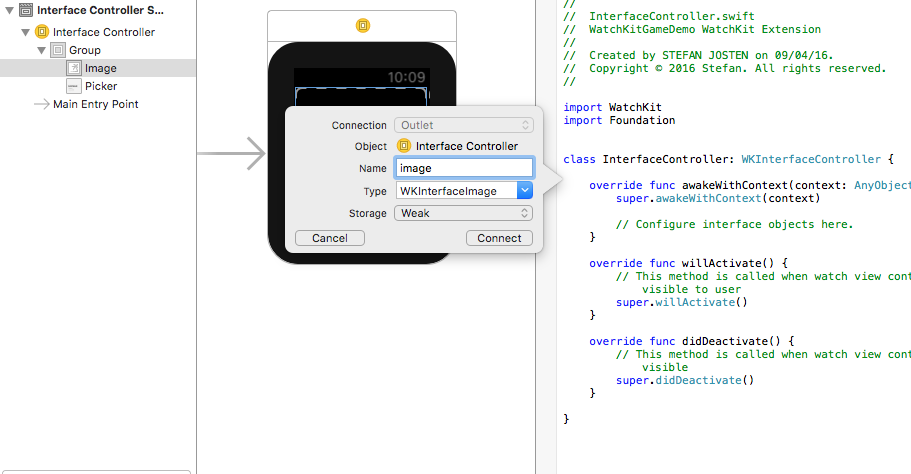
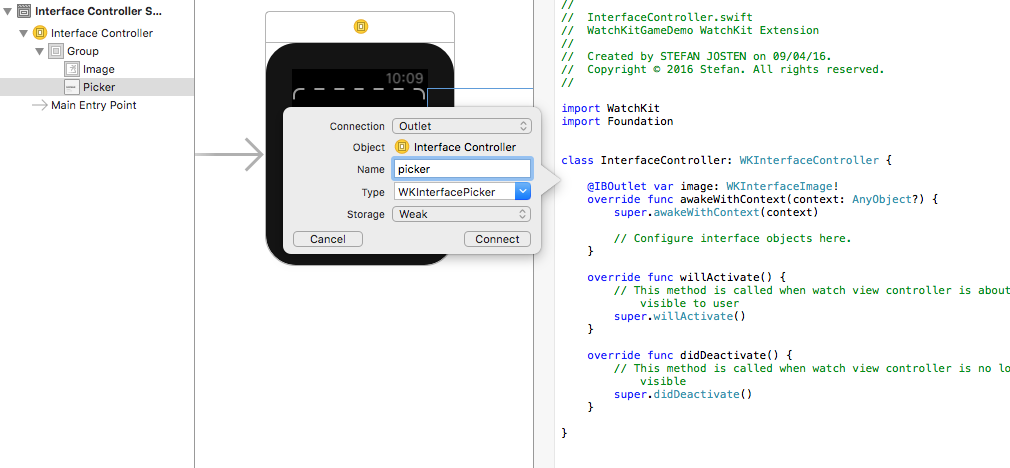
Create an IBAction for the Picker:
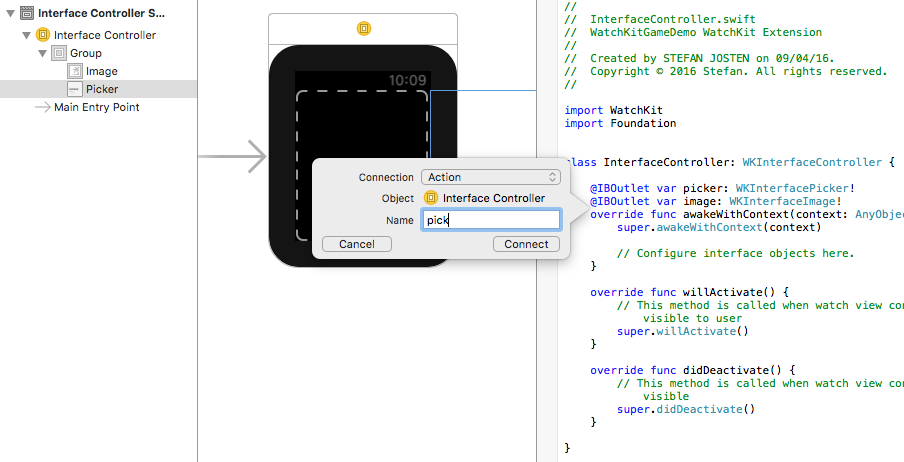
The result in your code should look like this:
@IBOutlet var picker: WKInterfacePicker!

@IBOutlet var image: WKInterfaceImage!

@IBAction func pick(value: Int) {}
'''

### 4. Implement the logic:

Now everything is setup and we can start implementing the logic. The picker outlet/action will provide the access to the digital crown. It must be initialized with some values first. Add this code snippet to the method willActivate():

```swift
override func willActivate() {
  // This method is called when watch view controller is about to be visible to user
  super.willActivate()

  // Initialize picker with 10 items to detect state changes of the digital crown
  var pickerItems: [WKPickerItem] = []
  for _ in 0 ..< 10 {
    let pickerItem = WKPickerItem()
    pickerItem.title = ""
    pickerItem.caption = ""
    pickerItems.append(pickerItem)
  }
  picker.setItems(pickerItems)
  picker.setSelectedItemIndex(4)
}
Move the racket overtime the picker changes:
@IBAction func pick(value: Int) {
  // Create the graphics context
  let size = CGSizeMake(100, 100)
  UIGraphicsBeginImageContext(size)
  let context = UIGraphicsGetCurrentContext()

  // Setup for the path style
  CGContextSetStrokeColorWithColor(context, UIColor.whiteColor().CGColor)
  CGContextSetLineWidth(context, 2.0)

  // Draw racket
  CGContextBeginPath (context);
  CGContextMoveToPoint(context, 80, CGFloat(value + 1) * 10);
  CGContextAddLineToPoint(context, 80, CGFloat(value) * 10)
  CGContextStrokePath(context);

  // Convert to an UIImage
  let cgimage = CGBitmapContextCreateImage(context);
  let uiimage = UIImage(CGImage: cgimage!)

  // End the graphics context
  UIGraphicsEndImageContext()

  // Assign on WKInterfaceImage
  image.setImage(uiimage)
}
Now you can run the App and play with the crown and the racket. The result should look like this:
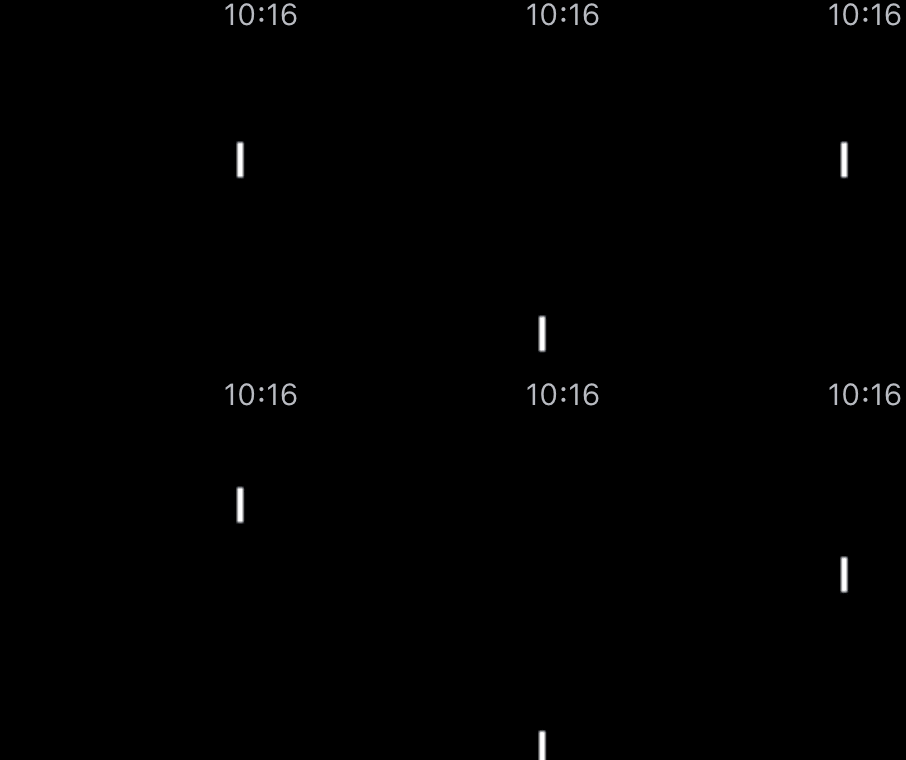
That’s all for today.
If you want to support me, please download my Apps from the Apple AppStore.
Cheers,
Stefan
]]>
Welcome to my scrolling tutorial:
In part one I showed how to implement endless scrolling. This is working fine, but there is still room for improvements. The scrolling starts immediately with full speed and also stops directly after the touch ends. A more natural movement would be to increase and decrease the speed slowly, till the target speed is reached or the movement is stopped. These is also known as ease in or ease out animation. Thank you to hamobi who helped me with my Stackoverflow question for finding the right solution. To give you an impression compare the two videos:
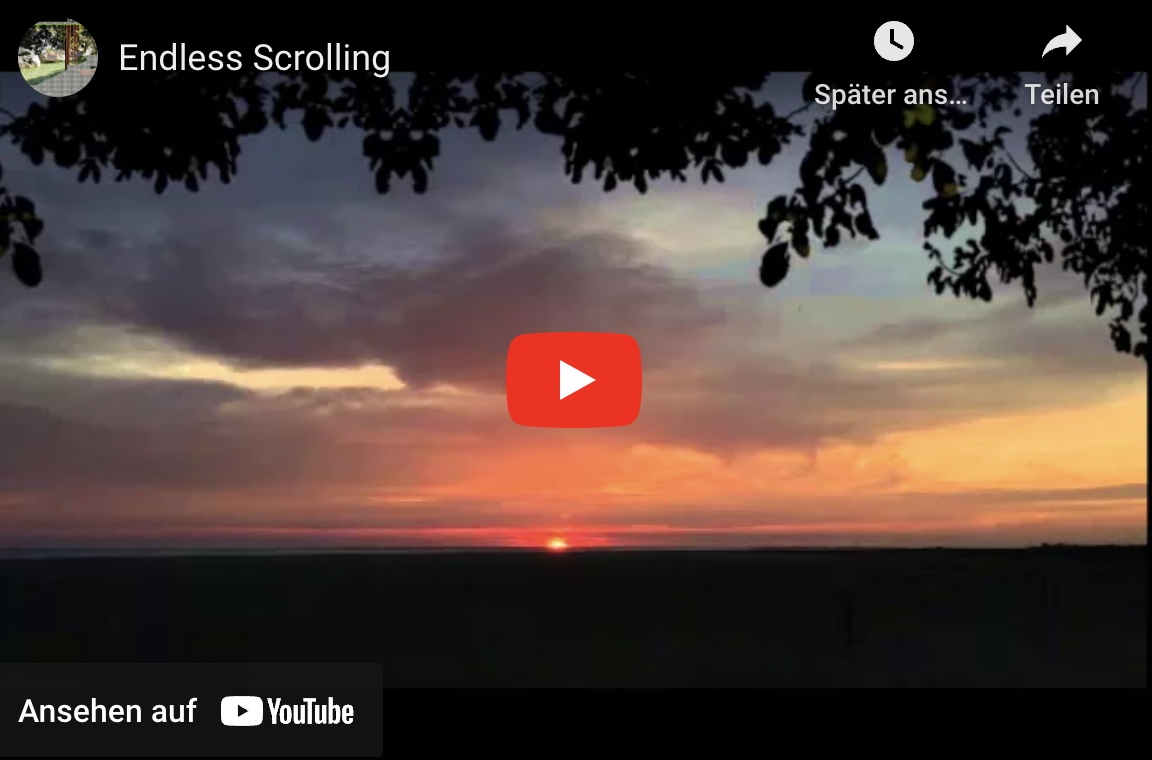
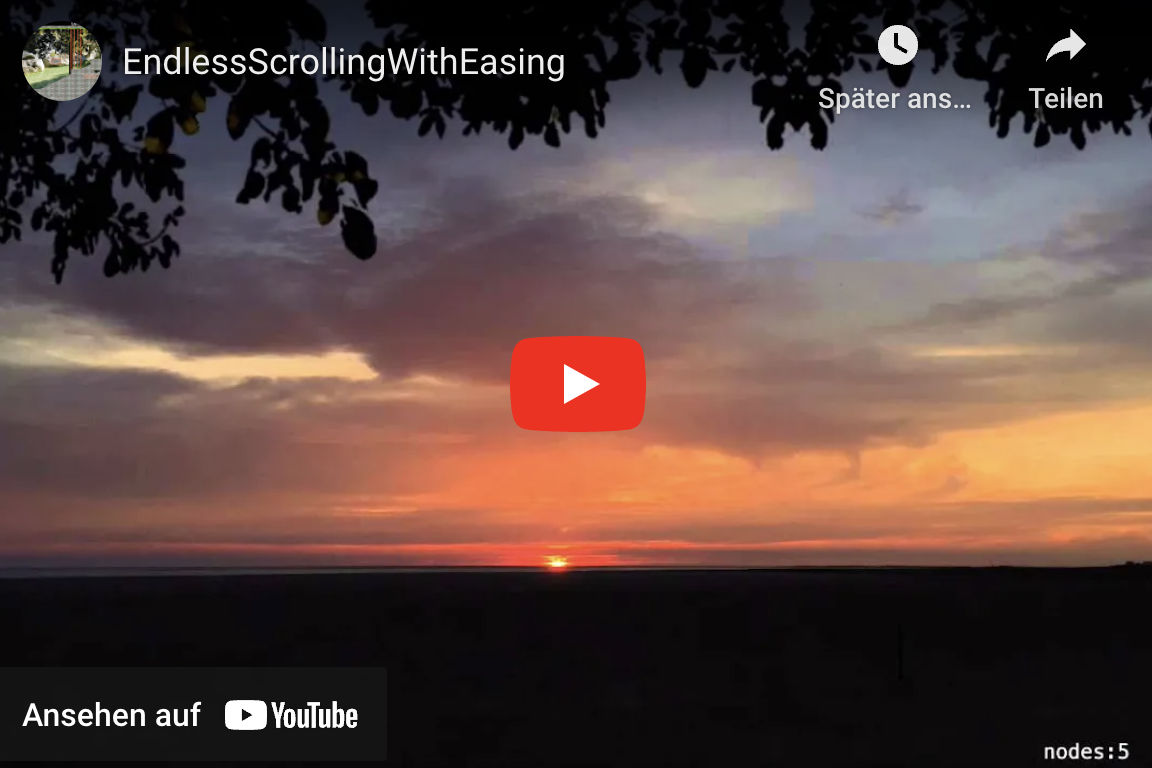
The main difference is the calculation of the speed which is done in the scroll function:
// Calculate the new speed with the easing function (New speed is influence by current speed)
let newSpeed = (currentSpeed \+ (speed - currentSpeed) * easeOutfactor)
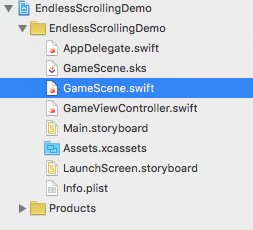
(For explanation check the comments inside the code snippet)
//
// GameScene.swift
// EndlessScrollingDemo
//
// Created by STEFAN JOSTEN on 13/11/15.
// Copyright (c) 2015 Stefan. All rights reserved.
//

import SpriteKit

class GameScene: SKScene {
  // Some global variables to preserve the state and store the touch positions
  var lastUpdateTime: CFTimeInterval?
  var currentSpeed: CGFloat = 0.0
  var nodeTileWidth: CGFloat = 0.0
  var xTouchCurrentPosition: CGFloat = 0.0
  var xTouchStartPosition: CGFloat = 0.0
  var xTouchDistance: CGFloat = 0.0

  // Some global constants to configure the speed
  let speedFactor:CGFloat = 5.0
  let easeOutfactor: CGFloat = 0.04

  // Declare the globaly needed sprite kit nodes
  var worldNode: SKSpriteNode?
  var spriteNode: SKSpriteNode?

  override func didMoveToView(view: SKView) {
    // Setup static background
    let backgroundNode = SKSpriteNode(imageNamed: "Background")
    backgroundNode.size = CGSize(width: self.frame.width, height: self.frame.height)
    backgroundNode.anchorPoint = CGPoint(x: 0, y: 0)
    backgroundNode.zPosition = -10
    self.addChild(backgroundNode)

    // Setup dynamic background tiles
    worldNode = SKSpriteNode()
    self.addChild(worldNode!)

    // Create the dynamic background tiles. Image of left and right node must be identical
    let leftNode = SKSpriteNode(imageNamed: "LeftTile")
    let middleNode = SKSpriteNode(imageNamed: "RightTile")
    let rightNode = SKSpriteNode(imageNamed: "LeftTile")

    // store this value globaly to avoid recalculations during each update call
    nodeTileWidth = leftNode.frame.size.width
    leftNode.anchorPoint = CGPoint(x: 0, y: 0)
    leftNode.position = CGPoint(x: 0, y: 0)
    middleNode.anchorPoint = CGPoint(x: 0, y: 0)
    middleNode.position = CGPoint(x: nodeTileWidth, y: 0)
    rightNode.anchorPoint = CGPoint(x: 0, y: 0)
    rightNode.position = CGPoint(x: nodeTileWidth * 2, y: 0)

    // Add the tiles to worldNode. worldNode is used to realize the scrolling
    worldNode!.addChild(leftNode)
    worldNode!.addChild(rightNode)
    worldNode!.addChild(middleNode)

    // Setup spaceship sprite
    spriteNode = SKSpriteNode(imageNamed: "Spaceship")
    spriteNode?.position = CGPoint(x:CGRectGetMidX(self.frame), y:CGRectGetMidY(self.frame))
    spriteNode?.xScale = 0.1
    spriteNode?.yScale = 0.1
    spriteNode?.zPosition = 10
    self.addChild(spriteNode!)
  }

  // Store the start touch position
  override func touchesBegan(touches: Set<UITouch>, withEvent event: UIEvent?) {
    for touch in touches {
      xTouchStartPosition = touch.locationInNode(self).x
    }
  }

  // Calculate the distance of the toch movement
  override func touchesMoved(touches: Set<UITouch>, withEvent event: UIEvent?) {
    for touch in touches {
      xTouchCurrentPosition = touch.locationInNode(self).x
      xTouchDistance = xTouchStartPosition \- xTouchCurrentPosition
    }
  }

  // Reset all movement states
  override func touchesEnded(touches: Set<UITouch>, withEvent event: UIEvent?) {
    xTouchCurrentPosition = 0.0
    xTouchDistance = 0.0
    xTouchStartPosition = 0.0
  }

  // SpriteKits gameloop function
  override func update(currentTime: CFTimeInterval) {
    // Scroll the background
    scroll(xTouchDistance, currentTime: currentTime)

    // Rotate sprite depending on direction
    if xTouchDistance > 0 {
      spriteNode?.zRotation = CGFloat(M_PI/2.0)
    } else if xTouchDistance < 0 {
      spriteNode?.zRotation = -CGFloat(M_PI/2.0)
    }
  }

  // Implement the scrolling
  func scroll(speed: CGFloat, currentTime: CFTimeInterval) {
    if lastUpdateTime != nil {

      // Calculate the new speed with the easing function (New speed is influence by current speed)
      let newSpeed = (currentSpeed \+ (speed - currentSpeed) * easeOutfactor)
      currentSpeed = newSpeed

      // Set the new x position depending on the timeframe since the last calls.
      // This is needed because spritekit cannot guarantee that the timeframe is allways the same

      worldNode!.position.x = worldNode!.position.x \+ newSpeed * CGFloat((currentTime - lastUpdateTime!)) * speedFactor

      // Check if right end is reached
      if worldNode!.position.x < -(2 * self.nodeTileWidth) {
        worldNode!.position.x = 0.0

      // Check if left end is reached
      } else if worldNode!.position.x > 0 {
        worldNode!.position.x = -(2 * self.nodeTileWidth)
      }
    }
    lastUpdateTime = currentTime
  }
}
You can download the complete sample from my Github repository.
If you want to support me, please download my Apps from the Apple AppStore:
That’s all for today.
Cheers,
Stefan
]]>